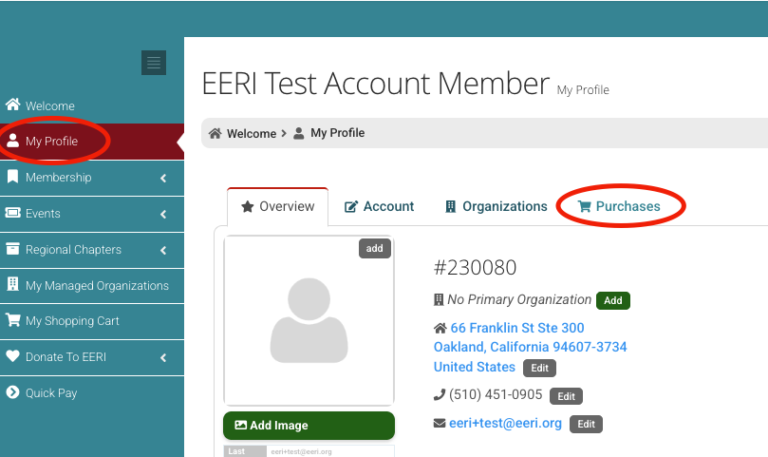
Go to the My Profile page and click the Purchases tab (shown in the screenshot below)
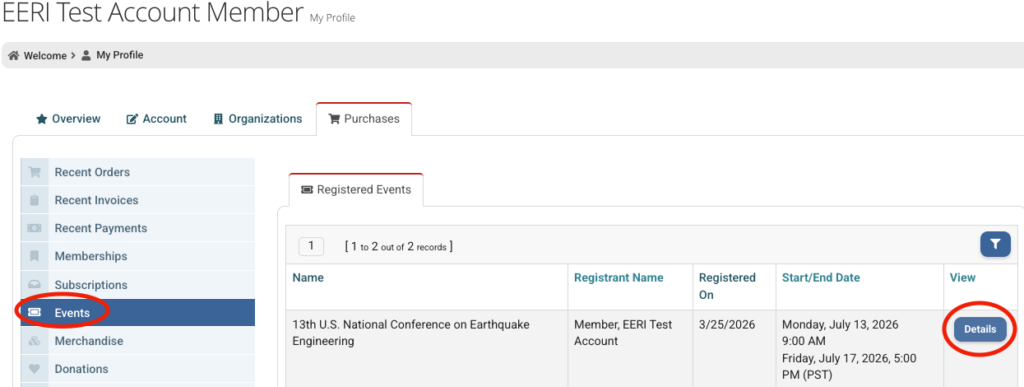
3. In the left pale blue menu, select Events. Then click the Details button next to your conference registration (shown in the screenshot below)
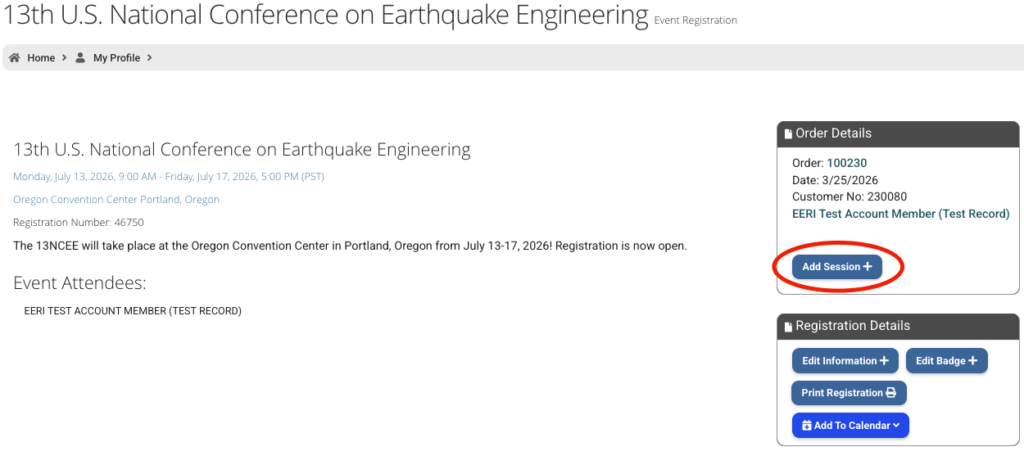
4. You will then see a summary of your registration. Click the Add Session button under Order Details on the right side (shown in the screenshot below)
5. Select the workshop and/or tour you’d like to add to your registration and click the Next button at the bottom of the list
6. You will reach your Cart. Verify everything looks correct and proceed to check out. The workshop or tour will now be added to your registration!